Can I recycle this?
During my UI/UX course, I decided to work on one of my passions: recycling! When I moved to Toronto, I noticed the guidelines for recycling were very different. After a little research, I discovered I wasn’t the only one.
The Problem. What Goes Where.
Sometimes it’s difficult to know what’s recyclable and what’s not. Frozen stand-up fruit bags aren’t recyclable but produce bags are, plastic fruit mesh aren’t recyclable but soft fruit pouches are. And even if the product has the recycling triangle printed on it, it might be recyclable just not in Toronto. So confusing.
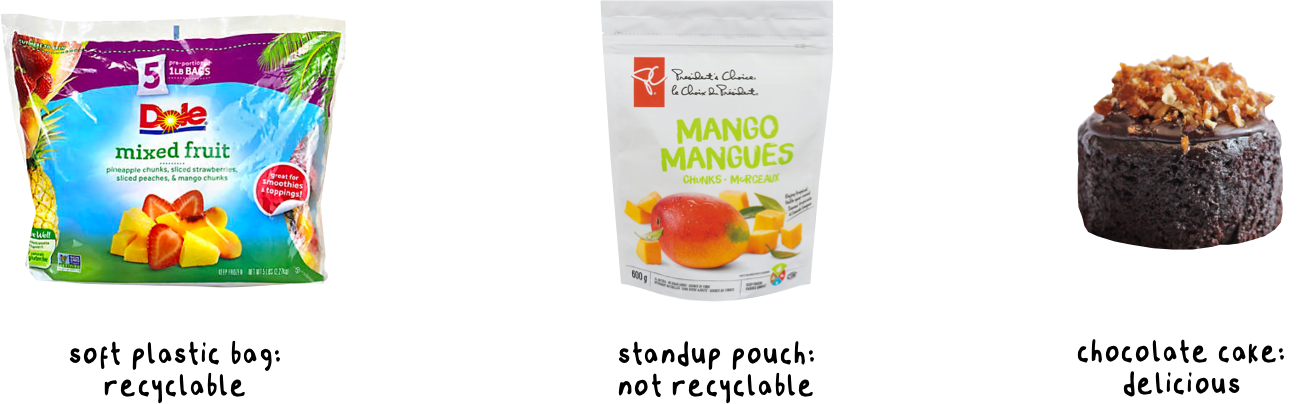
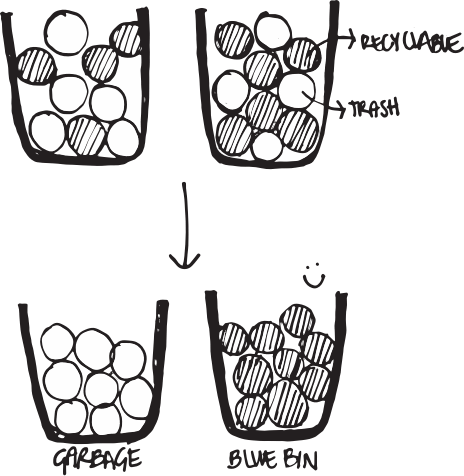
When I explored this pain point further, I discovered a lot of people were either dumping everything in the garbage or throwing non-recyclable items into the blue bins. This last option - contamination - is worse because it could potentially damage perfectly good items that could’ve been recycled.
Considerations. To Each, Their Own.
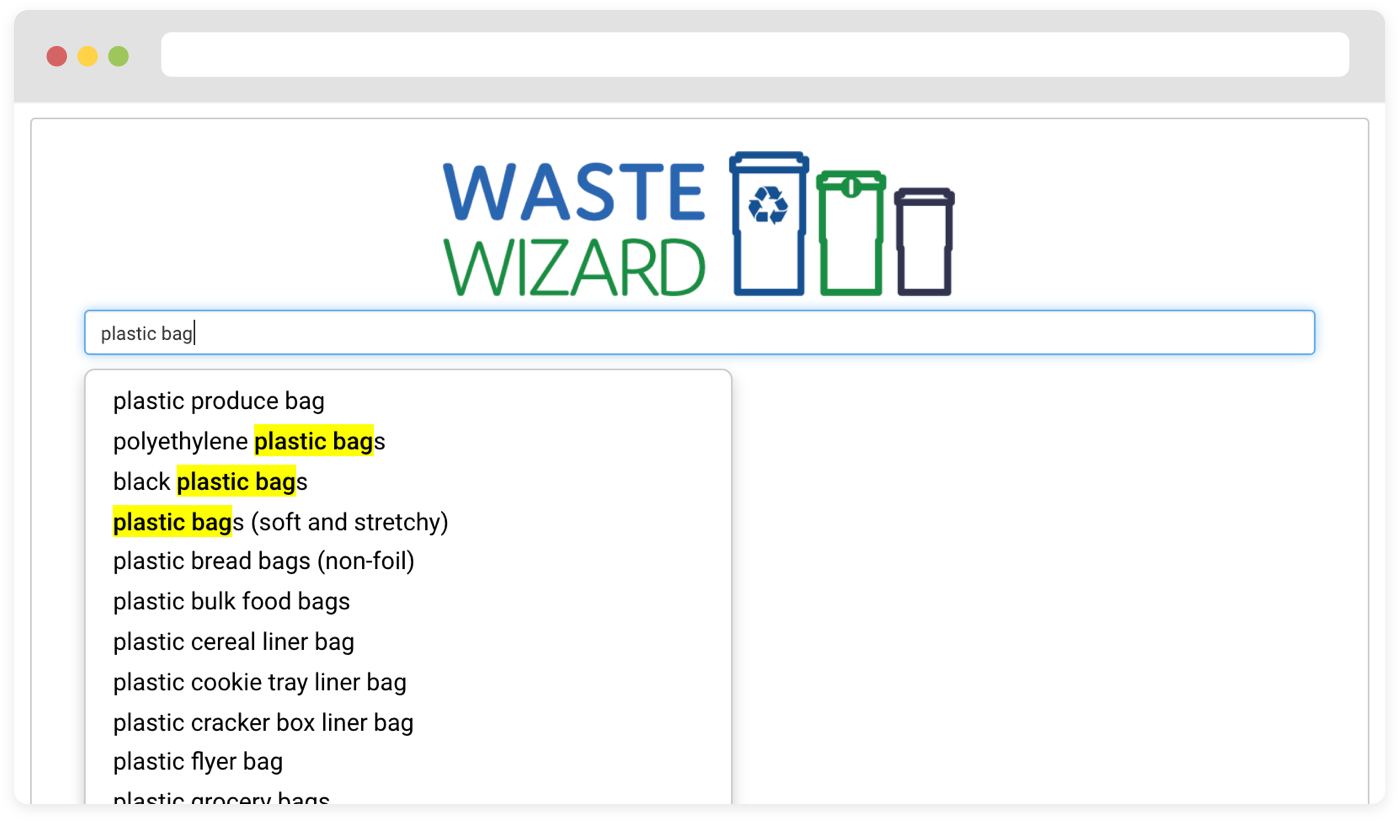
The city of Toronto has a tool called “waste wizard” that looks like this:
The wizard is helpful but can be ambiguous at times. When searching for a product, I might may not be confident in the option I pick. Showing examples of the products would be very helpful.
I wanted to get down to the details of the brands we shop; that’s why pairing it with the existing PC Optimum made sense. When you scan your loyalty card at the store, the app would know which products you bought and could specifically indicate how to responsibly dispose the product.
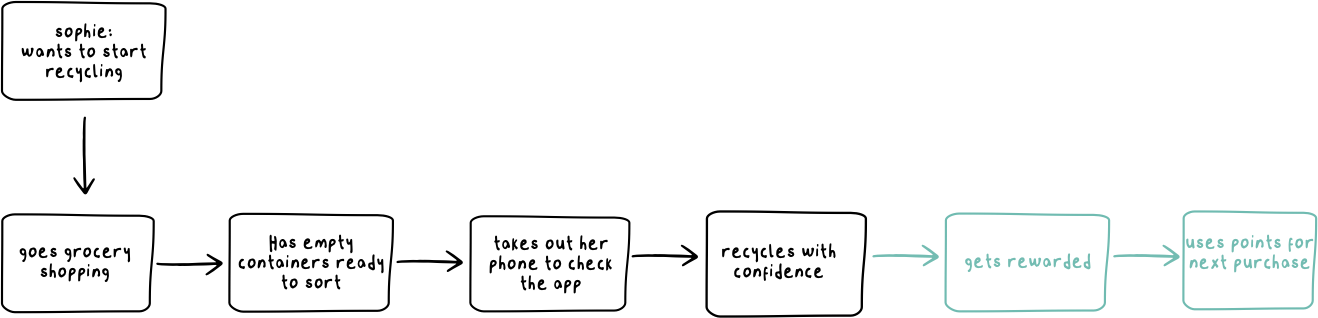
I picked Sophie as my persona and I created her journey like this:
When a container is empty Sophie scans it on the app to see where it goes.She can now confidently dispose her item.
She can also see alternative products with more eco friendly packages she might consider switching to.

One question that came up during my demo in class was how I could ensure user engagement and loyalty. That's how I came up with the idea of earning PC points through recycling:
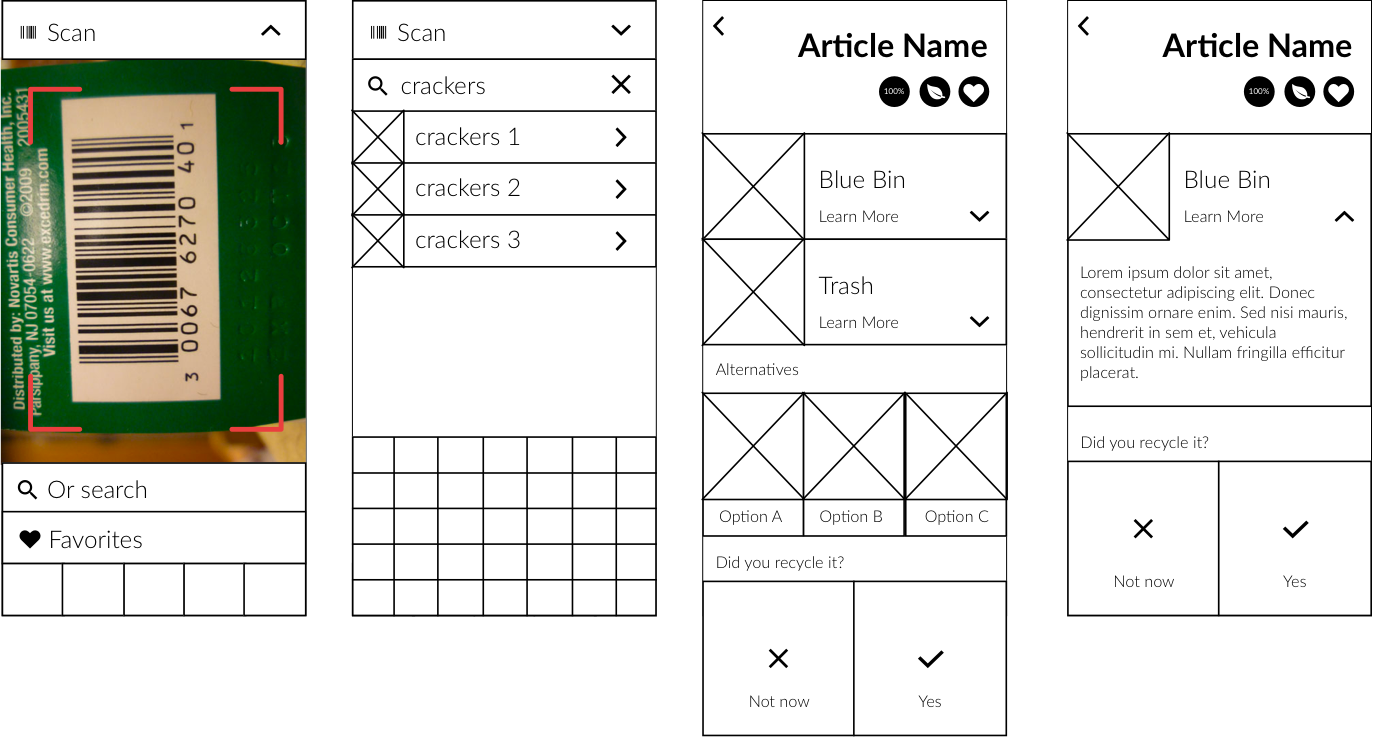
With a clearer journey, I sketched out the wireframes for this new feature. I made low-fi prototypes to get things started:
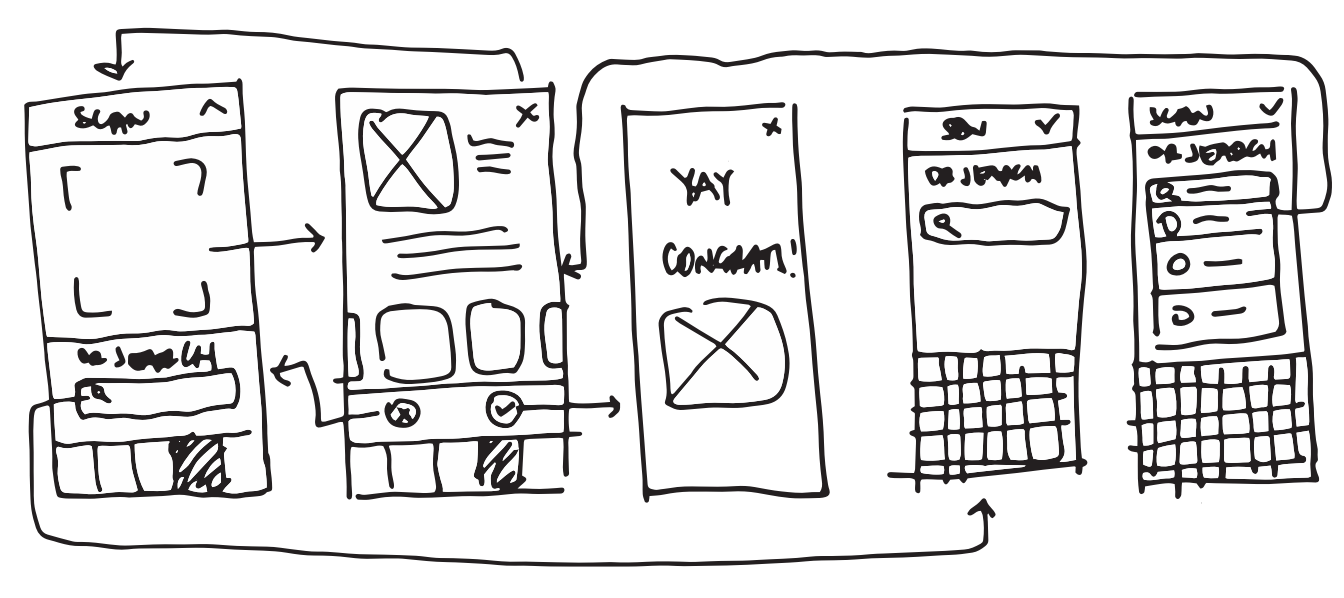
Sophie scans the product’s barcode to learn if it’s recyclable or not, which parts are recyclable and why they are recyclable or not.
At the bottom of the screen a yes/no question to tracks the items that were disposed correctly in the blue bin.
I also wanted to celebrate Sophie’s success and track overall accomplishments to visually show her progress.
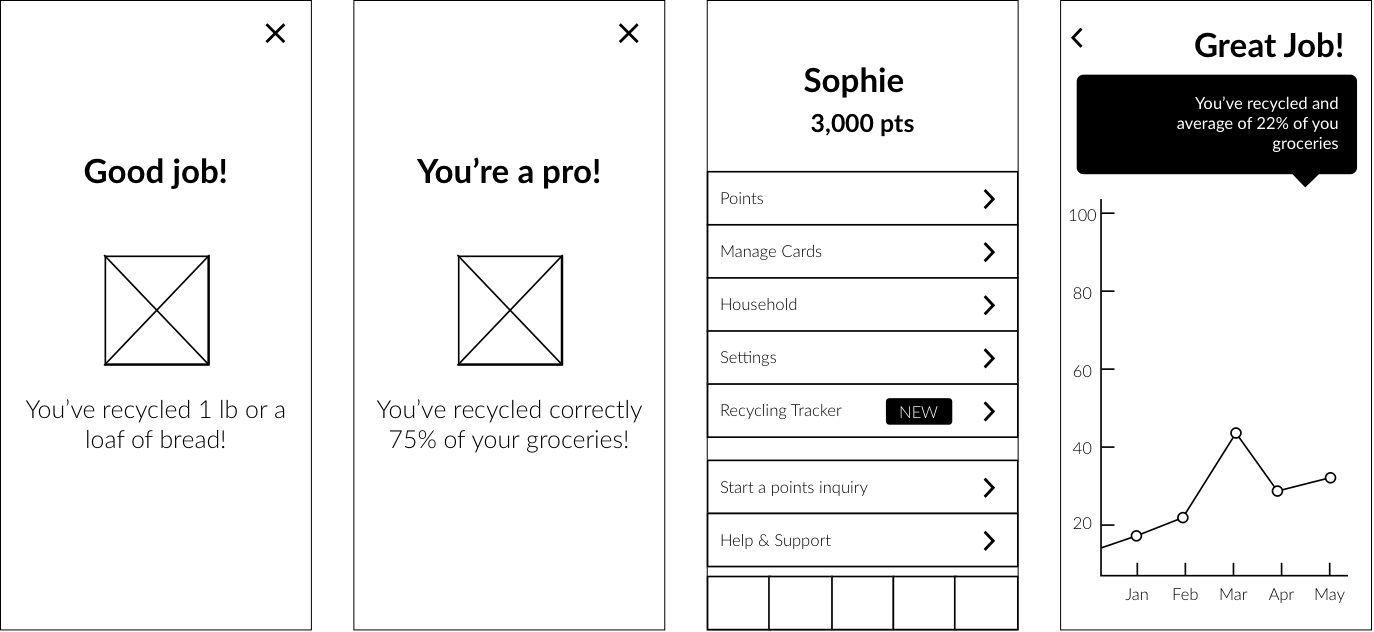
By knowing where to dispose her garbage, Sophie will avoid contamination of her recyclables. Better sorting means all bins would be accepted in the recycling facility and could reduce costs for the city. It will also have a positive impact on the environment as we reuse a larger amount of the garbage we produce.
Takeaways. Bin There, Done That.
This was the first project I built on my own. I also implemented a more structured methodology. I did the research, conducted interviews, created the mockups and put them through testing to redesign.
While the class assignment ended with the wireframes, I wanted to keep refining my idea. I decided to make it independent of the PC Optimum app and simplify it more:
I added features to educate users on recycling along with a section that would be a feed where users can discover and share clever hacks and tips for non-recyclables.
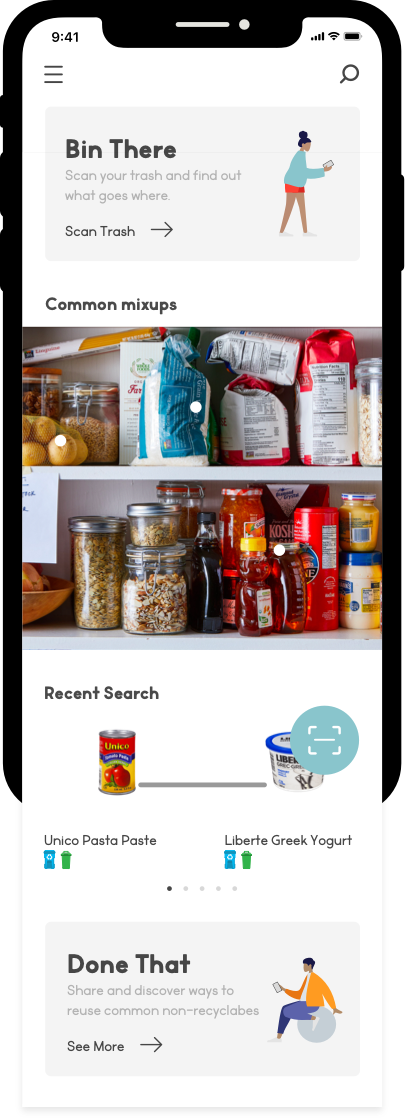
I decided to make scanning easier by allowing several items to be scanned at the same time.
To educate about common items that are wrongly placed in the blue bin, I wanted to show photos of them to simplify identification.
I wanted to inform why an item might not be recyclable to help users' deeper understanding of how recycling works, and hopefully encourage knowledge sharing with their friends as well.
To take advantage of loading time, I added smart tips to encourage better recycling habits.